Guild links naptify-servers run by different operators. Users stay connected to their own server while chatting, searching and transferring files with users of the other servers. Each server keeps its own rules.
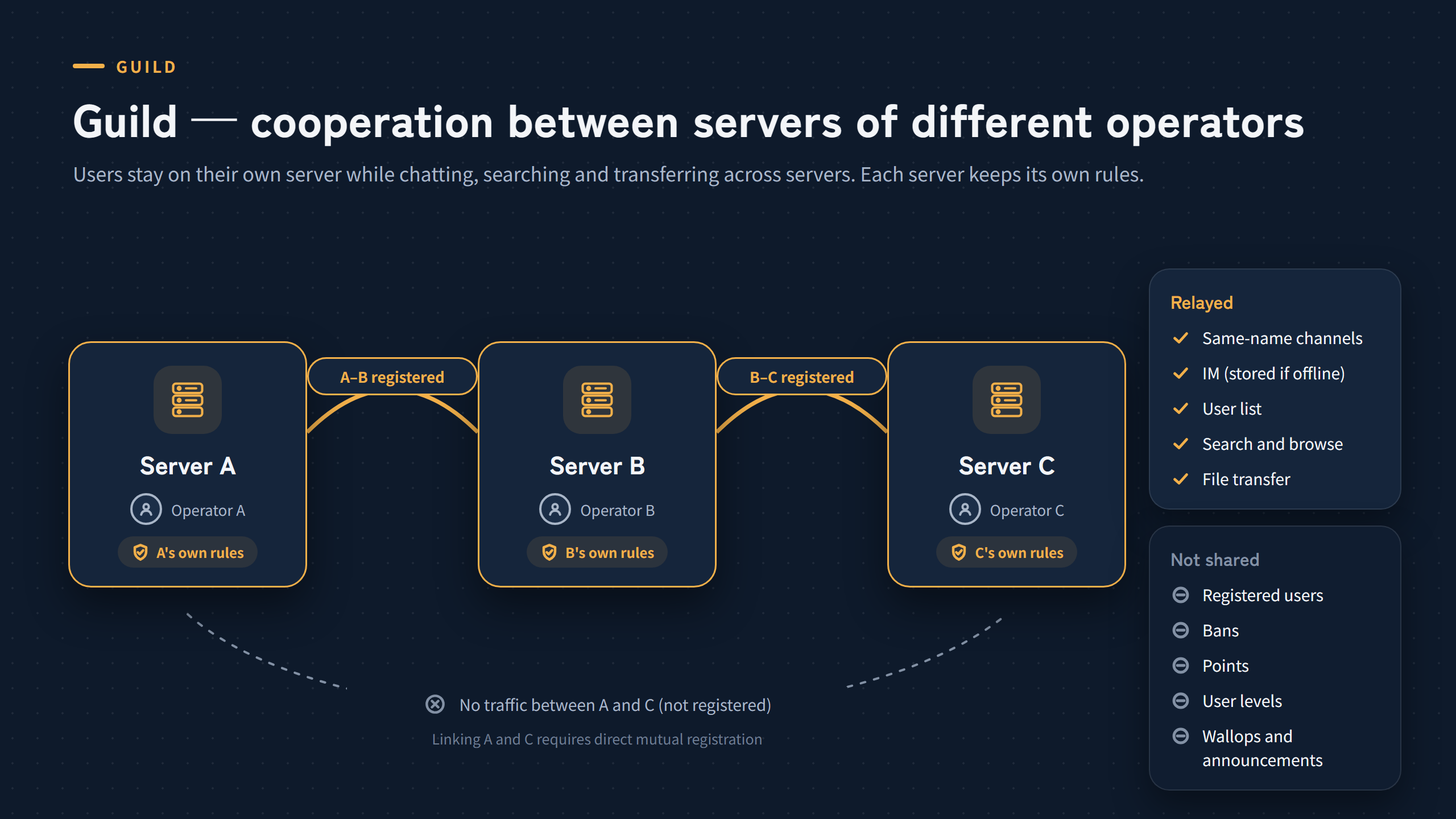
- Cooperation between servers run by different operators
- Chat, IM, user lists, search, browse and file transfers are relayed
- Registered users, bans, points, user levels, wallops and announcements are not shared; each server keeps its own rules
- Direct connections only between servers that registered each other; nothing is relayed to a third server
- Available only between servers that implement the Naptify Guild Protocol
What is relayed
| Item | How a guild handles it |
|---|---|
| Chat | Channels with the same name are shared (except private and anonymous channels). Whether a user can join is decided by the rules of each server. Users of guild peers can also be invited to public channels. |
| IM | An IM to a user who is offline is stored by that user’s own server and delivered at their next sign-in. |
| Search and browse | If the peer is a link cluster, the whole cluster is searched. |
| File transfer | Servers only broker the request; files move directly between users. |
| Wallops and announcements | Not relayed. They are for each operator to reach the users of their own server. |
How it differs from Link
Link is a basic feature carried over from FaceNap and SlavaNap: it lets one operator spread a single server over several machines. See Linked servers in the user manual for the settings.
| Item | Link | Guild |
|---|---|---|
| Operators | The same operator | Different operators |
| Purpose | Spreading one server over several machines | Cooperation between separate servers |
| Registered users, bans and so on | Synchronized across all servers | Not shared; each server keeps its own rules |
| Where users connect | Any server, with the same account | Their own server |
| Topology | A tree (no loops); a redirect port routes users to a server with free capacity | Only between servers that registered each other; nothing is relayed to a third server |
| Peers | naptify-server, FaceNap and SlavaNap | Servers that implement the Naptify Guild Protocol |
Link clusters and Guild
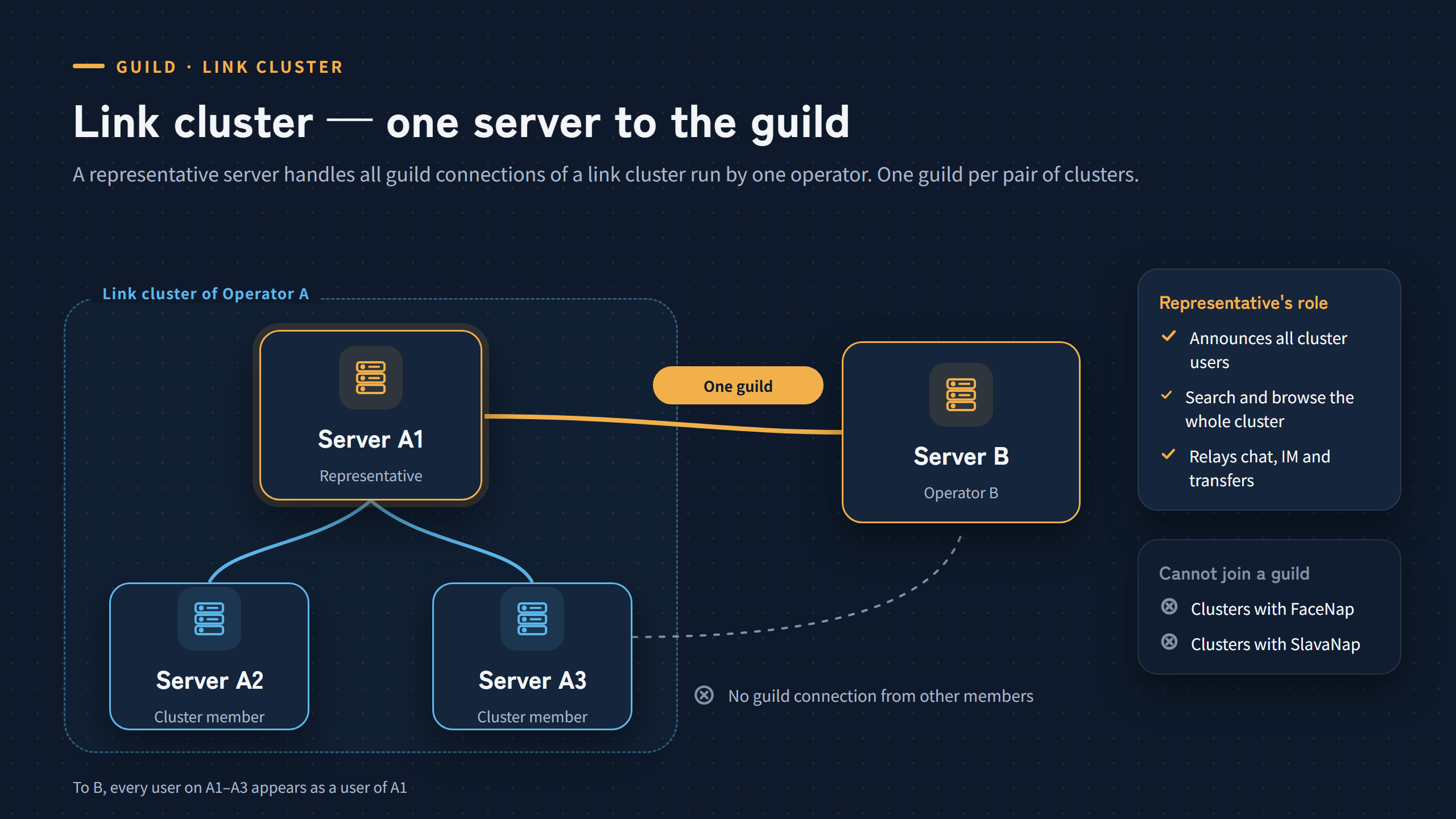
- To a guild, a link cluster is one server
- A representative server handles all guild connections of the cluster
- One guild per pair of clusters
- No guild while even one FaceNap or SlavaNap server is in the cluster
A group of servers joined by links under one operator is called a link cluster. To guild peers, a link cluster looks like a single server. One server in the cluster acts as the representative: it handles all guild connections and relays chat, IM, search and transfer requests for users on the other servers of the cluster. There is only one guild with a given cluster, and servers other than the representative have no guild connections.
If the representative stops, guild peers can no longer see any part of the cluster. No other server takes over automatically.
FaceNap and SlavaNap cannot tell users who came through a guild from ordinary users, so they cannot keep guild users from reaching servers they have no guild with. For this reason, while even one FaceNap or SlavaNap server is in the cluster, no server in the cluster can use Guild. Once they leave the cluster, Guild becomes available again.
Duplicate user names
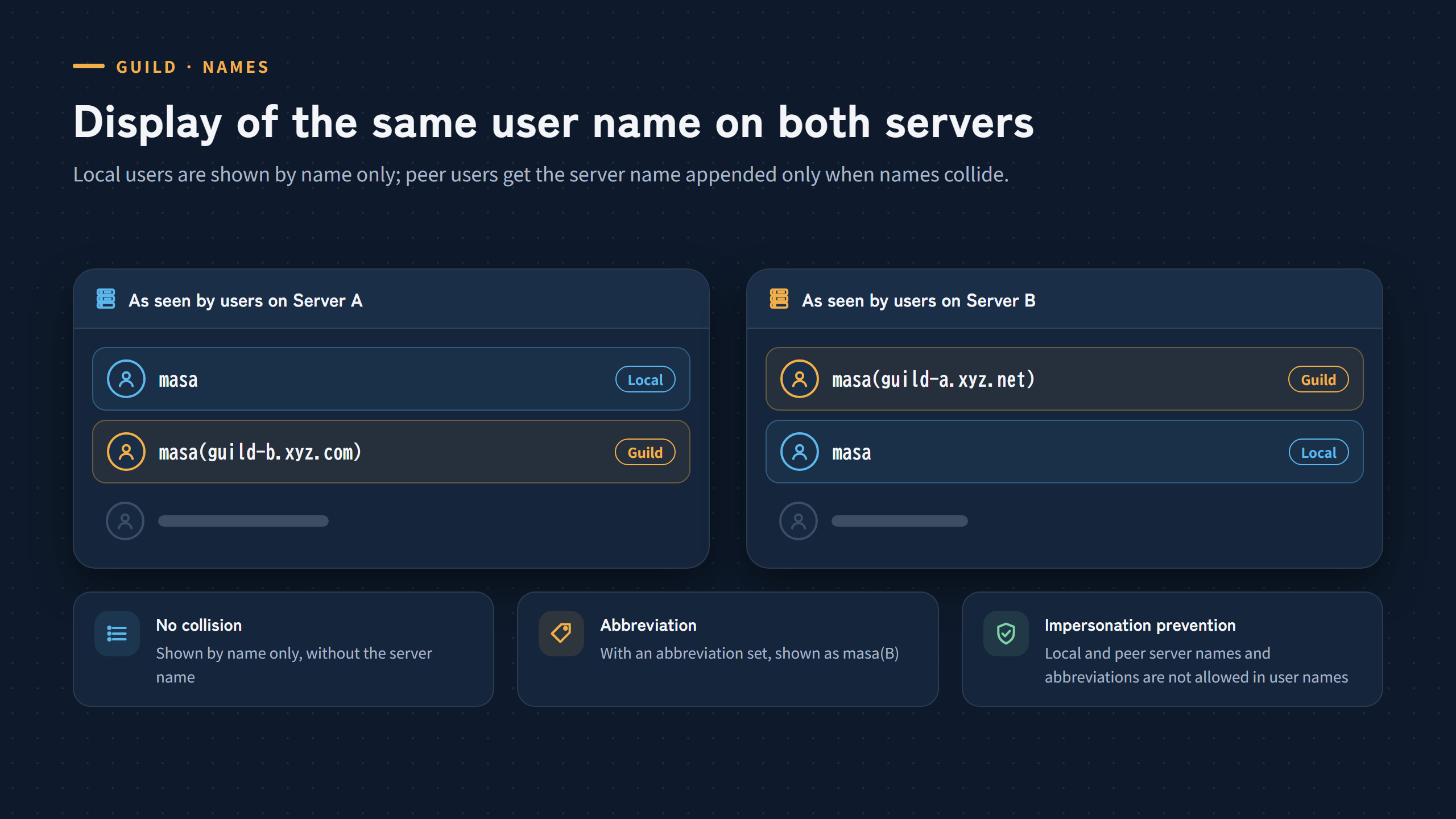
Local users are shown by name only. Guild peer users get the server name appended, as in masa(guild-b.xyz.com), only when their name collides. With an abbreviation configured, the short form masa(B) is used. Local and peer server names and abbreviations are not allowed in user names.
Search and transfer across a guild
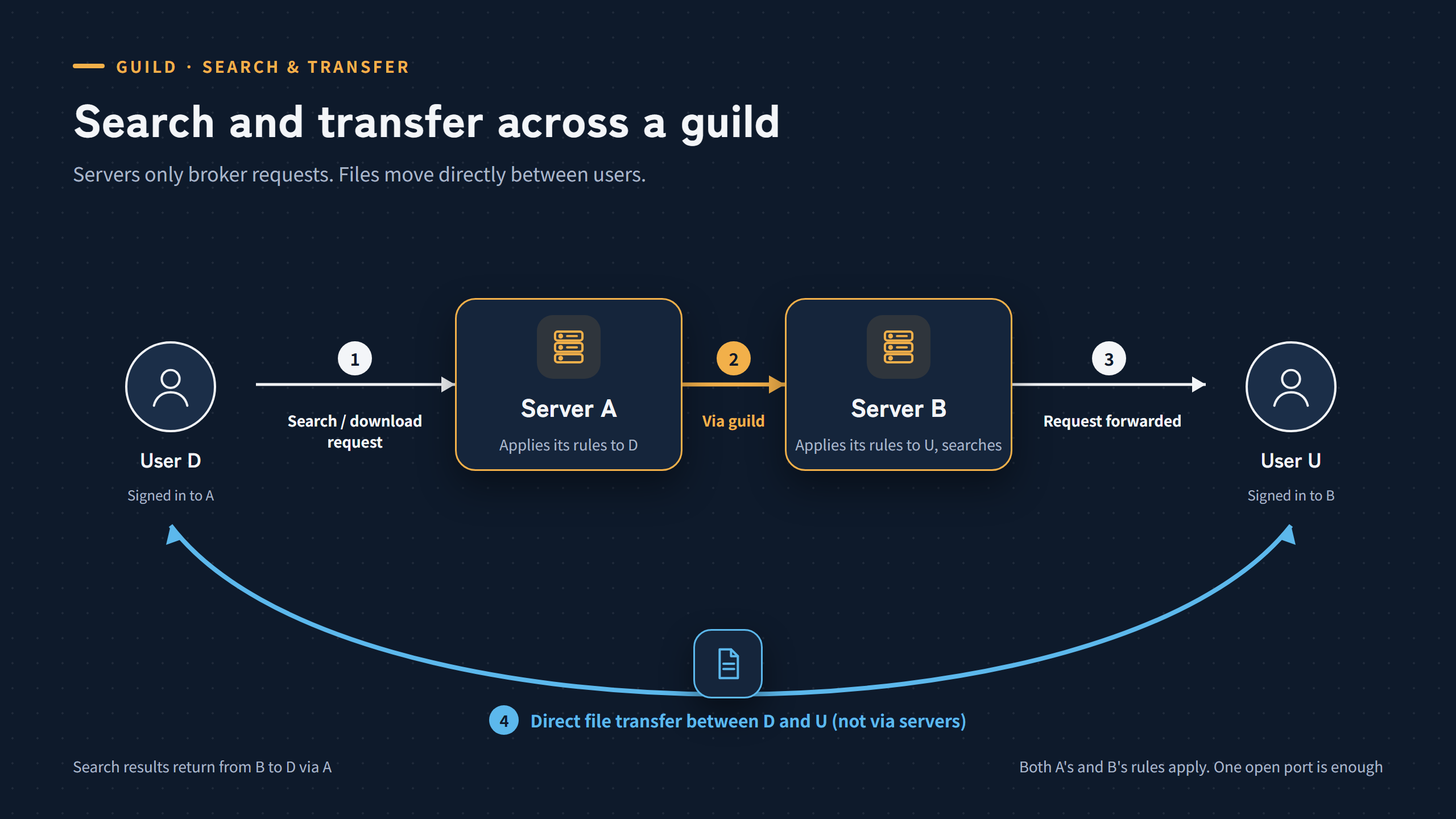
Servers only broker search and download requests; files move directly between users.
Both servers’ rules apply to a transfer. The downloader’s server applies its own rules, such as points and request limits, to the downloader. The sharer’s server applies its limits on requests from the guild and the sharer’s own settings, such as the ignore list.
A transfer works as long as either side has its data port open. It is not possible when both users are behind firewalls.
Protocol details: Naptify Guild Protocol