A NAPTIFY Client feature that downloads one file from several owners at once, in small pieces. The more owners there are, the faster it goes, and it keeps going if an owner leaves.

- The file is cut into small pieces (about 32, each at least 8 MiB), not split evenly by the number of owners
- An owner who finishes a piece gets the next free one, so faster owners take more pieces
- An owner who joins midway takes a free piece or half of what a slow owner has left; when an owner leaves, others take over its piece
- The last piece can be fetched by more than one owner at once, so a slow owner does not hold up the finish
- Up to 8 owners at once
How to use it
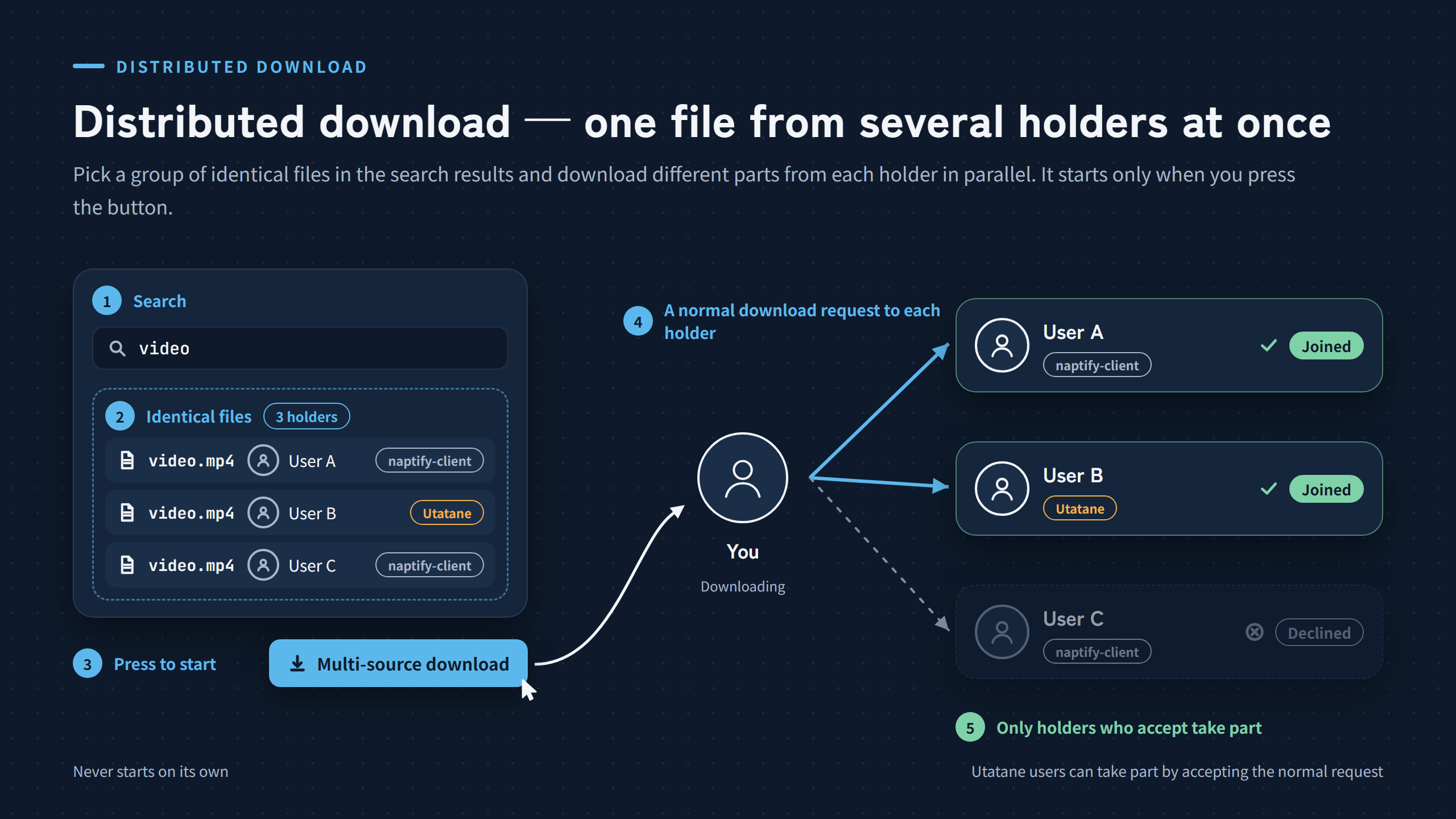
- Search for a file
- Turn on “Group same size” in the search results header so that the same file is listed as one group (two or more owners)
- Choose “Multi-source download” (the button on the right, or the right-click menu). You can also Ctrl+click to pick only some owners
- A normal download request is sent to each owner
- Owners join as they accept
It starts only when you start it. Once running, NAPTIFY Client sends a fresh normal download request, piece by piece, to owners who have finished a piece. Each owner decides whether to accept with their own settings (upload slots and queue), and owners who do not accept simply do not take part.
Checking the contents
- Each seam between pieces is received with a 64 KiB overlap to check that neighbouring owners sent the same data
- Between NAPTIFY Clients, every 16 KiB block is checked by hash; when all match, “Content” on the right of the transfer screen shows Verified
- If part of the file came from an existing client such as Utatane, it shows Unverified; when the whole file’s hash is known, the file is checked after it finishes and shows Verified if it matches
- An owner who sent different data is dropped (“Excluded: Content mismatch”), and that part is fetched again from another owner
Working with Utatane
Existing OpenNap clients such as Utatane can take part as owners. NAPTIFY Client receives each piece with an ordinary resume request and closes the connection once it has what it needs, so the other side may see a cancelled transfer for each piece.
What the server does
The server brokers each request to each owner just like a normal download. The server is told that a download started and finished only once per file, however many owners it came from. NAPTIFY Client assigns and checks the pieces, and the file itself never passes through the server.
Transfers between NAPTIFY Clients connected to NAPTIFY Server are encrypted (see SSL/TLS encryption). Transfers with existing clients such as Utatane stay unencrypted, as before.
Also good to know
- Before starting, the free space on the destination drive is checked against the whole file size
- If it stops, it does not resume on its own; retry an owner’s row to continue from where it left off
- When it finishes, a “Download breakdown” is written to the event log (received, saved and discarded amounts per owner, and why any were dropped)