With naptify-server and naptify-client together, traffic is encrypted so that passwords, private messages and searches are protected from third parties. It covers both the connection to the server and file transfers between naptify-clients, as well as the admin page.
Existing clients such as Utatane keep connecting and transferring as before (backward compatible). Encryption works only when naptify-server and naptify-client are used together.
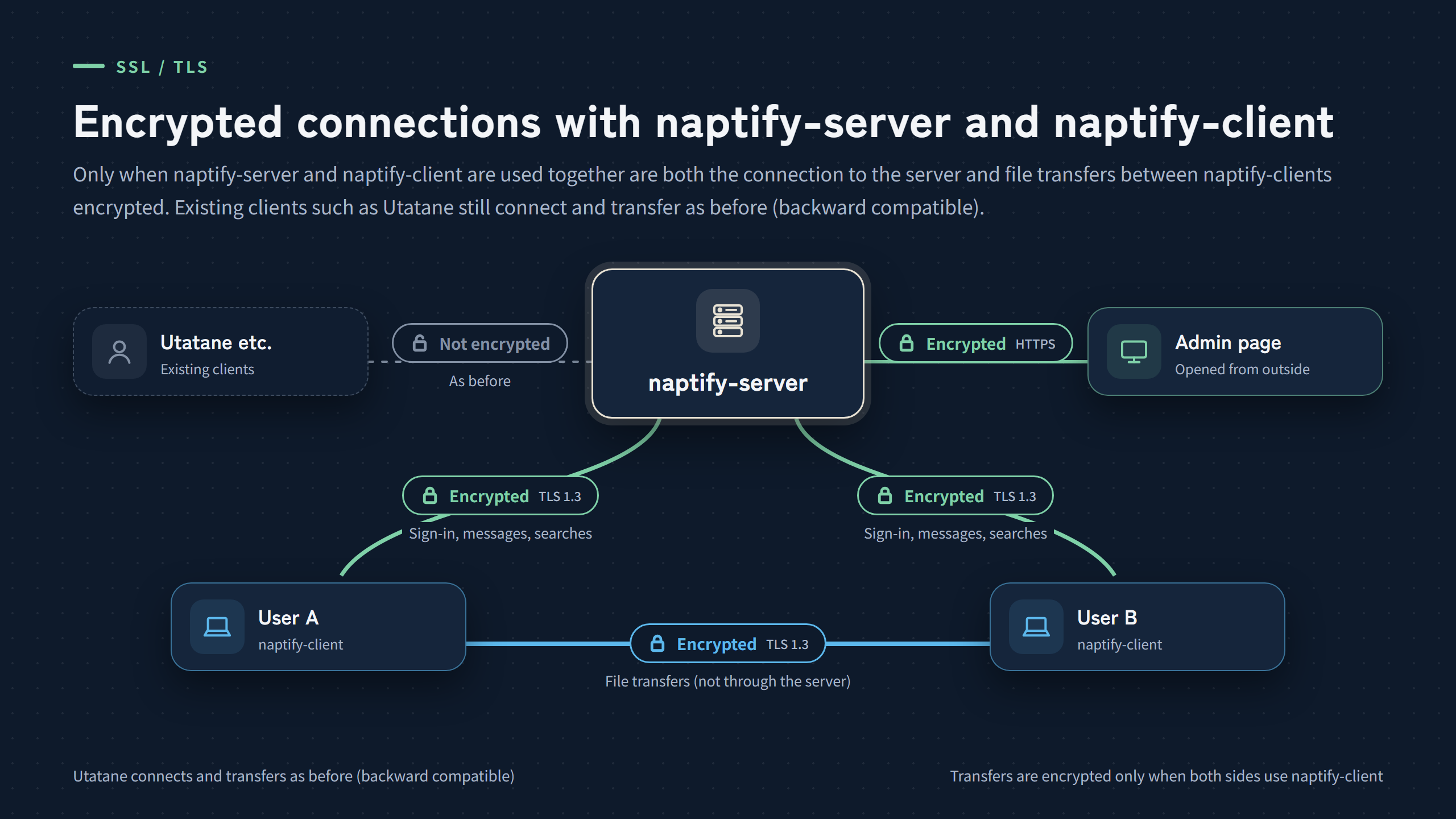
What is encrypted
| Connection | Encryption | Status |
|---|---|---|
| naptify-client and naptify-server | Encrypted | Supported |
| File transfers between naptify-clients | Encrypted | Supported |
| Admin page (opened from outside) | Encrypted (HTTPS) | Supported |
| Existing clients such as Utatane | Not encrypted (as before) | — |
| File transfers between naptify-client and clients such as Utatane | Not encrypted (as before) | — |
| naptify-client and other OpenNap servers | Not encrypted (as before) | — |
The method is TLS (TLS 1.3 between naptify-server and naptify-client). The admin page uses HTTPS.
Connecting to the server

At the start of a connection, naptify-client and the server check which features each supports. If both support it, the same connection switches to encrypted traffic before signing in. Existing OpenNap clients such as Utatane keep connecting to the same port as before.
If the server is linked with D-DNS.JP, it uses the Let’s Encrypt certificate issued through D-DNS.JP (the same one as the admin page’s HTTPS). Otherwise it uses a self-signed certificate it created on first use. The self-signed certificate is not recreated when the server restarts or its data folder is moved.
Checking the certificate (fingerprint)
When a certificate cannot be verified the usual way, such as a self-signed one, naptify-client shows its fingerprint (SHA-256) and asks you to approve it. The approved fingerprint is remembered, and you are warned if it changes later. Server operators should give users the fingerprint shown in the admin page.
If a server you have connected to with encryption later offers only an unencrypted connection, naptify-client asks you to confirm before signing in.
Encrypted file transfers
File transfers between naptify-clients exchange certificate fingerprints through naptify-server and are encrypted. The file itself does not pass through the server. Transfers with existing clients such as Utatane still work unencrypted, as before (backward compatible).
HTTPS for the admin page
When the admin page is opened to external access, its traffic is encrypted with HTTPS. The certificate (Let’s Encrypt) is issued and renewed through D-DNS.JP, and the server checks for a new one once a day (no restart needed). From the server’s own PC it still opens over HTTP. See “Management HTTPS” in the settings.
Settings
| Where | “TLS (naptify-client)” under “Connection settings” in the settings |
| Setting | Accept TLS (on by default) |
| Shown | The certificate in use (D-DNS.JP certificate or self-signed), its expiry and its fingerprint (SHA-256) |